
3D Design
Turning ideas into reality.
For UI designers, 3D is mainly used for key visuals, icons, and brand identity elements.






Cinema 4D>>
⠿ Used for key visuals and motion Animation
We use 3D to support visuals, animation, and video—offering far greater precision and control over details than AI-generated content.

Adobe Dimension >>
⠿ 3D Packaging Mockups & Visuals
Adobe Dimension is designed for packaging and commercial visual simulation, effectively turning 2D designs into clear 3D representations early in the process. Leveraging its efficiency and stability, we deliver high-quality 3D visuals quickly for proposals, testing, and key visuals—ideal for projects with tight timelines and budget control.
illustrator、Photoshop >>
⠿ The integration of 2D and 3D starts early
Illustrator and Photoshop are not only graphic design tools, but key foundations in the 3D workflow. With the latest Illustrator 3D features, materials and base renders can be created and exported as OBJ files, seamlessly connecting to Cinema 4D or Dimension. This workflow quickly transforms 2D concepts into 3D structures, ensuring visual consistency and improving production efficiency.
Our Workflow

01
Building visual foundations in Illustrator
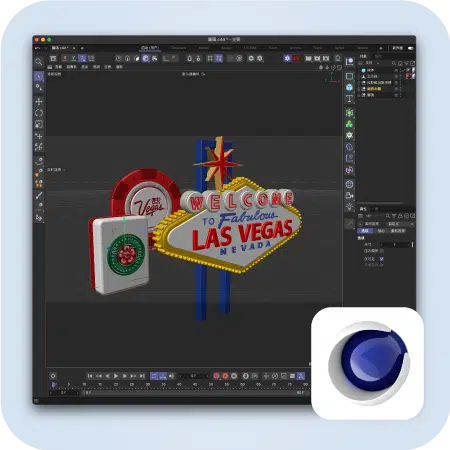
3D production doesn’t start from scratch—it builds on clear 2D design. We first create the required graphics and structure in Illustrator, then bring them into Cinema 4D for further development. Since C4D R25, native AI file support streamlines the transition, ensuring accurate data transfer and reducing setup overhead.
02
Transforming 2D into Controllable 3D Structures
Using Cinema 4D’s Merge Objects feature, 2D paths are converted directly into 3D objects. At this stage, we refine structure—adding bevels, rounding, and organizing objects—while defining material directions to ensure visual consistency and scalability.
03
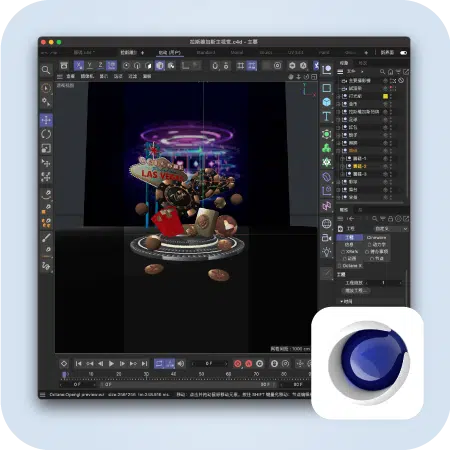
Environment, Scene Setup & Detail Refinement
Additional objects are added as needed, with lighting, materials, and render settings defined. Output use cases—key visuals, animation, or marketing assets—are considered to ensure optimal results across applications.
04
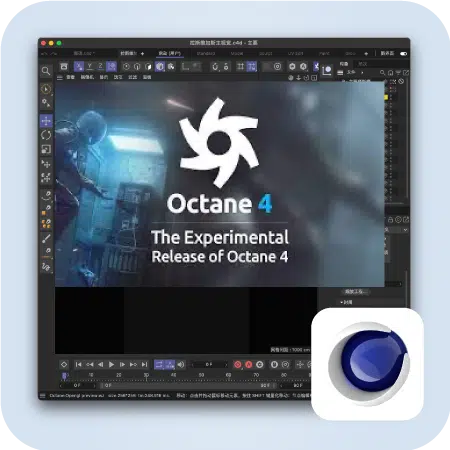
Fast Rendering Tests with Octane
We use Octane Render (OC) for its ultra-fast rendering speed, enabling real-time previews and rapid adjustments. This workflow is ideal for fast-paced commercial projects that require frequent validation—significantly reducing wait times.

05
Design Completion & Final Rendering
Renderers differ in lighting and material systems, so settings are not interchangeable. We select the most suitable rendering solution based on project goals—Octane for speed and quality in e-commerce and marketing visuals, and Redshift for highly realistic results. Every choice is driven by actual needs, not by tools alone.

Dimension: An Efficient 3D Alternative
In specific scenarios, Adobe Dimension can effectively meet 3D visual needs. Originally designed for packaging and product mockups, it quickly composites 2D designs onto real-world packaging (e.g., bottles, bags). As Dimension does not support modeling, assets are prepared in Illustrator or Photoshop and exported as OBJ files for lighting and material setup.
Balancing Professional Depth and Efficiency
Dimension’s strength lies in its intuitive workflow and speed—making results visible quickly. While Cinema 4D offers greater flexibility and depth, it is more complex. We choose the right tool based on project stage and goals, delivering clear, effective, and persuasive visuals in the shortest time possible.


